
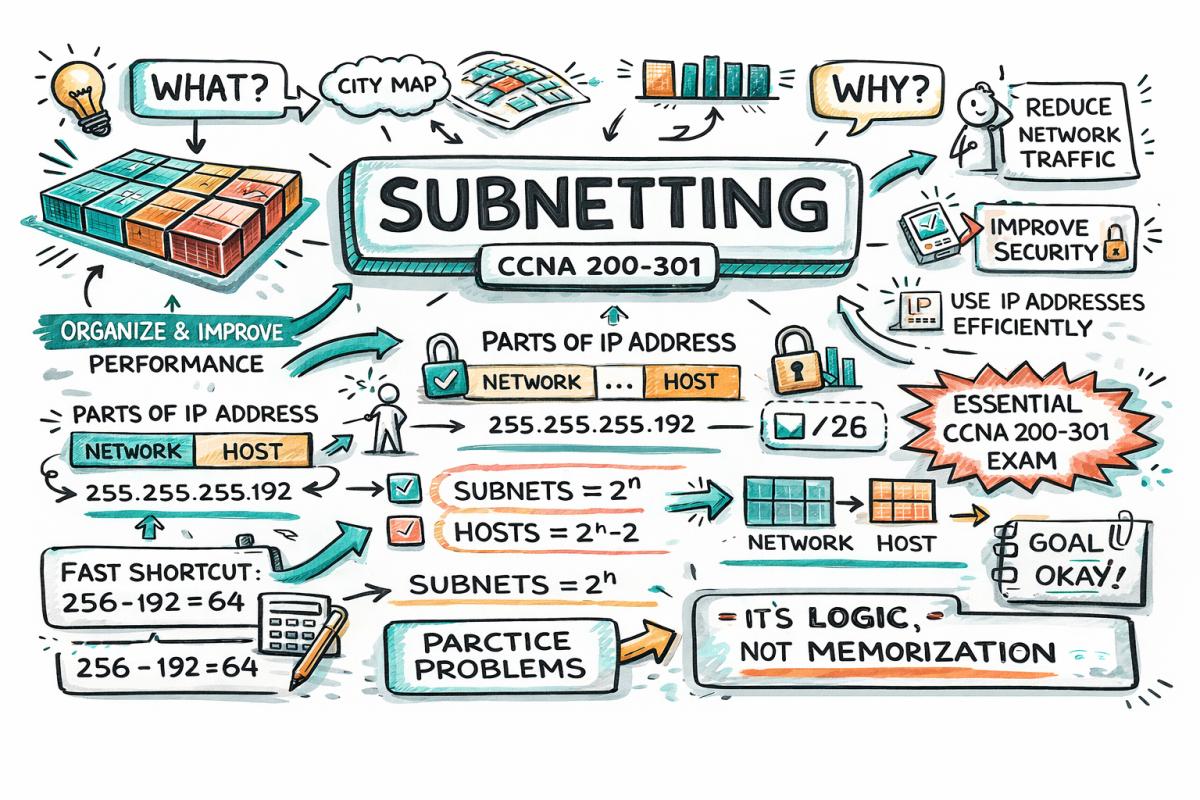

If you’re preparing for CCNA 200-301, subnetting is not just a topic — it’s a skill that separates beginners from real network engineers. Most people struggle with subnetting because they try to memorize instead of understanding the logic behind it. In this guide, we will break subnetting down step by step in a way that actually makes sense.
By the end of this article, you will understand what subnetting is, why it exists, and how to solve subnetting problems confidently — even under exam pressure.
What is Subnetting?
Subnetting is the process of dividing a large network into smaller, manageable networks called subnets. :contentReference[oaicite:0]{index=0}
Think of a big network like a city. Without division, everything becomes chaotic. Subnetting is like dividing that city into neighborhoods — making communication faster, more secure, and easier to manage.
Subnetting improves network efficiency, reduces broadcast traffic, and enhances security.
- Better performance
- Improved security
- Efficient IP utilization
- Easier troubleshooting
Understanding IP Address Structure
Before subnetting, you must understand that every IPv4 address has two parts:
- Network Portion – identifies the network
- Host Portion – identifies devices inside that network
For example:
192.168.1.10 /24
- Network part: 192.168.1
- Host part: .10
The subnet mask determines how many bits belong to the network and how many to the host. :contentReference[oaicite:1]{index=1}
What is a Subnet Mask?
A subnet mask is a 32-bit number that separates the network and host portions of an IP address.
Example:
- IP Address: 192.168.1.10
- Subnet Mask: 255.255.255.0
- CIDR Notation: /24
In binary:
- 255 = 11111111
- 0 = 00000000
So:
11111111.11111111.11111111.00000000
Here:
- 1s → Network bits
- 0s → Host bits
Classful Addressing (Basic Foundation)
| Class | Range | Default Mask | Hosts |
|---|---|---|---|
| A | 1.0.0.0 – 126.255.255.255 | /8 | 16 million+ |
| B | 128.0.0.0 – 191.255.255.255 | /16 | 65,534 |
| C | 192.0.0.0 – 223.255.255.255 | /24 | 254 |
These defaults are important because subnetting always starts from here. :contentReference[oaicite:2]{index=2}
Why Subnetting is Needed
- Large networks create unnecessary traffic
- Security becomes difficult
- IP addresses get wasted
Subnetting solves this by splitting one big network into smaller logical segments.
More subnets = fewer hosts per subnet
The Core Concept: Borrowing Bits
Subnetting works by borrowing bits from the host portion and using them as subnet bits.
Example:
/24 → /26
- Borrowed bits: 2
- Subnets: 2² = 4
- Hosts per subnet: 2⁶ – 2 = 62
Each time you borrow a bit, you double the number of subnets but reduce hosts. :contentReference[oaicite:3]{index=3}
Subnetting Formula Cheat Sheet
| Concept | Formula |
|---|---|
| Subnets | 2^n |
| Hosts | 2^h - 2 |
| Block Size | 256 - Subnet Mask Value |
Step-by-Step Subnetting Method
Step 1: Identify Requirements
Determine how many subnets or hosts you need.
Step 2: Borrow Bits
Choose how many bits to borrow from the host portion.
Step 3: Calculate Subnets
Use 2^n formula.
Step 4: Calculate Hosts
Use 2^h - 2 formula.
Step 5: Determine Block Size
Subtract subnet mask value from 256.
Step 6: Identify Network Ranges
List all subnet ranges.
This structured process is exactly what makes subnetting manageable instead of confusing. :contentReference[oaicite:4]{index=4}
Example 1: Basic Subnetting
Network: 192.168.1.0/24
Requirement: 4 subnets
- 2 bits borrowed → /26
- Subnet mask: 255.255.255.192
- Block size: 64
| Subnet | Range | Broadcast |
|---|---|---|
| 1 | 192.168.1.0 - 63 | 192.168.1.63 |
| 2 | 192.168.1.64 - 127 | 192.168.1.127 |
| 3 | 192.168.1.128 - 191 | 192.168.1.191 |
| 4 | 192.168.1.192 - 255 | 192.168.1.255 |
Example 2: Finding Network Address
IP: 192.168.5.85/24
Network address = 192.168.5.0
Broadcast address = 192.168.5.255
Hosts range = 192.168.5.1 – 192.168.5.254
This is calculated using binary AND operation between IP and subnet mask. :contentReference[oaicite:5]{index=5}
Magic Number Trick (Shortcut)
Instead of calculating everything manually, you can use the magic number method.
Formula:
256 - subnet value = block size
Example:
- Mask: 255.255.255.192
- Magic number: 64
So subnets increase by 64:
- 0
- 64
- 128
- 192
VLSM (Variable Length Subnet Mask)
VLSM allows you to create subnets of different sizes depending on requirements.
- Efficient IP usage
- Flexible design
- Used in real networks
Example:
- Subnet A → 100 hosts
- Subnet B → 50 hosts
- Subnet C → 10 hosts
Instead of wasting space, VLSM allocates different subnet sizes.
Common Subnet Masks Table
| CIDR | Mask | Hosts |
|---|---|---|
| /24 | 255.255.255.0 | 254 |
| /25 | 255.255.255.128 | 126 |
| /26 | 255.255.255.192 | 62 |
| /27 | 255.255.255.224 | 30 |
| /28 | 255.255.255.240 | 14 |
| /29 | 255.255.255.248 | 6 |
| /30 | 255.255.255.252 | 2 |
Common Mistakes to Avoid
- Forgetting to subtract 2 from host count
- Confusing network and broadcast addresses
- Not converting to binary when needed
- Memorizing instead of understanding
Real-World Analogy
Imagine an apartment building:
- Building = Network
- Floors = Subnets
- Rooms = Hosts
Subnetting is simply organizing the building efficiently so people don’t get lost.
Conclusion
Subnetting may look difficult at first, but once you understand the logic behind it, it becomes one of the easiest and most powerful concepts in networking. Instead of memorizing formulas, focus on understanding how IP addresses are divided and how bits are used.
For CCNA 200-301, practice is everything. The more problems you solve, the faster and more confident you become. Subnetting is not just an exam topic — it’s a real-world skill used daily by network engineers.
Master it once, and it will stay with you for life.



Community Insights